Channels · for tenants
Connect Rentals United
Import Rentals United reservations with your API access key and secret key, link properties by their Rentals United property ID and keep guest data in sync.
Rentals United distributes your properties to many channels. Connected to the guest portal, its reservations are imported automatically so each guest gets a portal link for online check-in and payments.
1. Get your API keys #
Rentals United's XML API authenticates with an access key and a secret key. You find them in your Rentals United account under the API / integration settings, or your Rentals United account manager issues them for you. Make sure the keys may read your properties and reservations.
2. Connect in your dashboard #
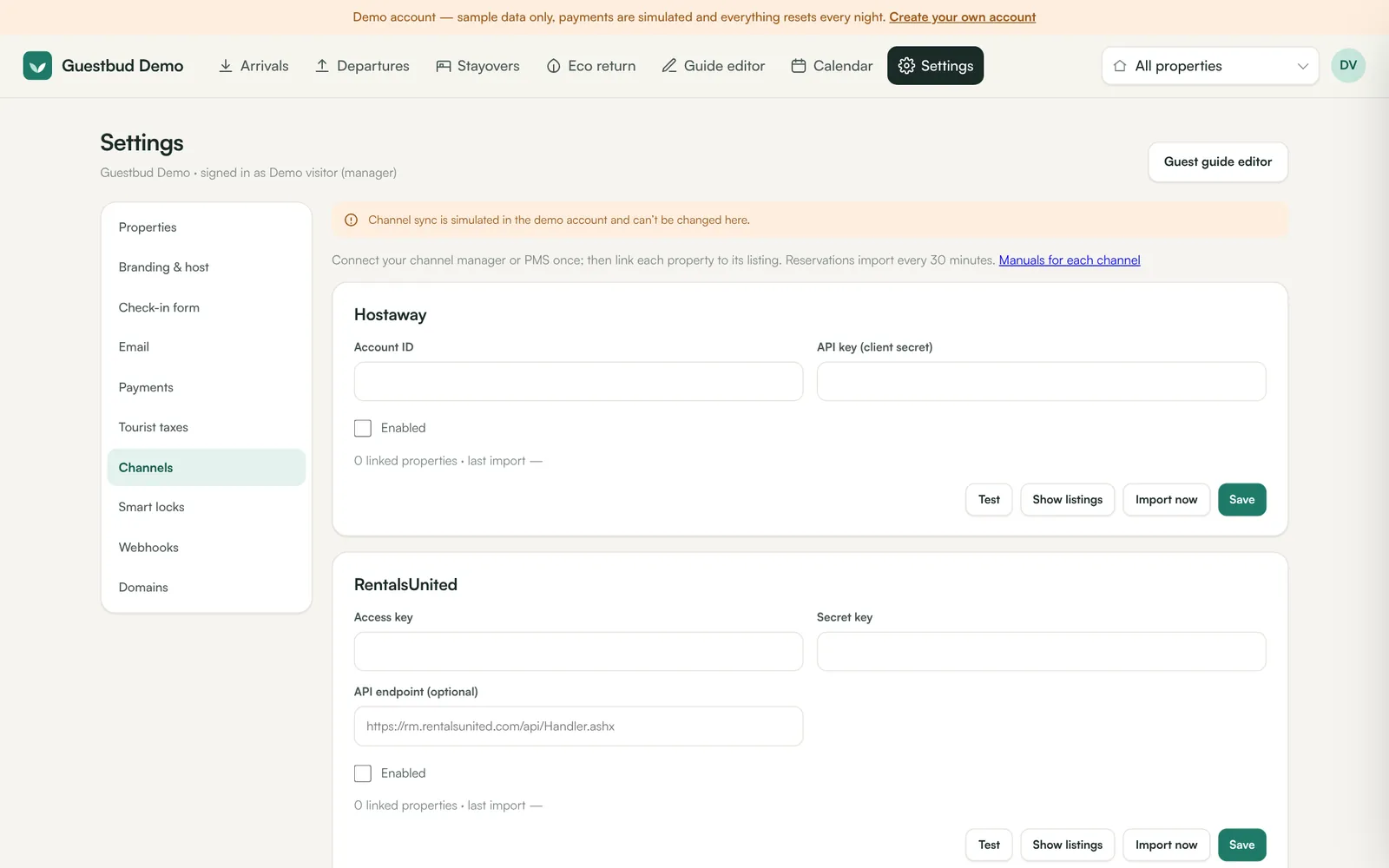
- Open Settings → Channels → RentalsUnited.
- Paste the Access key and the Secret key.
- Leave API endpoint empty to use the standard Rentals United endpoint, unless Rentals United gave you a different one.
- Tick Enabled, click Save and then Test — you should see RentalsUnited: connected.
3. Link your properties #
- Click Show listings to see your Rentals United properties with their IDs.
- For each property open Settings → Properties → Settings and paste the ID into RentalsUnited property ID.
4. Import #
Import now fetches the reservations; afterwards the import runs every 10 minutes. Name, email, phone, adults and children come from the reservation, and the channel (Booking.com, Airbnb, Expedia …) is shown on the booking.
How the reservation cache works #
Rentals United's reservation interface only reports reservations that were created, changed or cancelled within a time window, at most one request per minute. A stay booked months ago that hasn't changed since is not sent again. The guest portal therefore keeps its own reservation cache for your account:
- Every reservation Rentals United reports is stored, for all your Rentals United properties — linked or not. When you link a property later, its bookings appear at once from the cache.
- Right after connecting, the portal also walks back through older changes, one week at a time (up to about four months), every two minutes until done. The channel card shows loading older reservations… meanwhile.
- If the server was offline for a while, the missed period is fetched in one-week steps. Should Rentals United refuse a period that is too old, the card says so and the portal re-checks every upcoming stay it already knows, one by one, so cancellations are not missed.
- Cached reservations are deleted 35 days after check-out.
A reservation that isn't in the cache — for example an older stay that hasn't changed since you connected — can be imported with Import a reservation by ID in the Rentals United card. Enter the Rentals United reservation number and click Import reservation.
Cancelled, rejected and expired reservations are marked as cancelled; requests and leads are not imported. A reservation for several properties appears on each linked property.
Frequently asked questions #
Are reservations made on other channels included? #
Yes — everything that reaches your Rentals United account for a linked property is imported, whichever channel it came from.
Import now says to try again shortly? #
Rentals United allows one reservation request per minute. The bookings already in the cache are applied at once; new ones follow with the next automatic import a few minutes later.
Test says authentication failed? #
Check that you copied the access key and secret key without spaces and that they are active. A new key pair from Rentals United fixes most problems.