Channels · for tenants
Connect Hostaway
Import Hostaway reservations automatically, link properties to their listings and message guests in the Airbnb or Booking.com chat with their portal link.
When Hostaway is connected, every reservation (from Airbnb, Booking.com, Vrbo, direct …) is imported into your guest portal automatically: dates, number of guests, the guest's name and contact details. Cancellations and date changes follow. Your check-in data, payments and notes are never overwritten by the import.
1. Create a Hostaway API key #
- Sign in to your Hostaway dashboard.
- Open Settings → Hostaway API.
- Click Create to add a new API key, give it a name (for example Guest portal) and save.
- Copy the Account ID and the API key (Hostaway calls it the client secret). The key is shown only once.
2. Connect Hostaway in your dashboard #
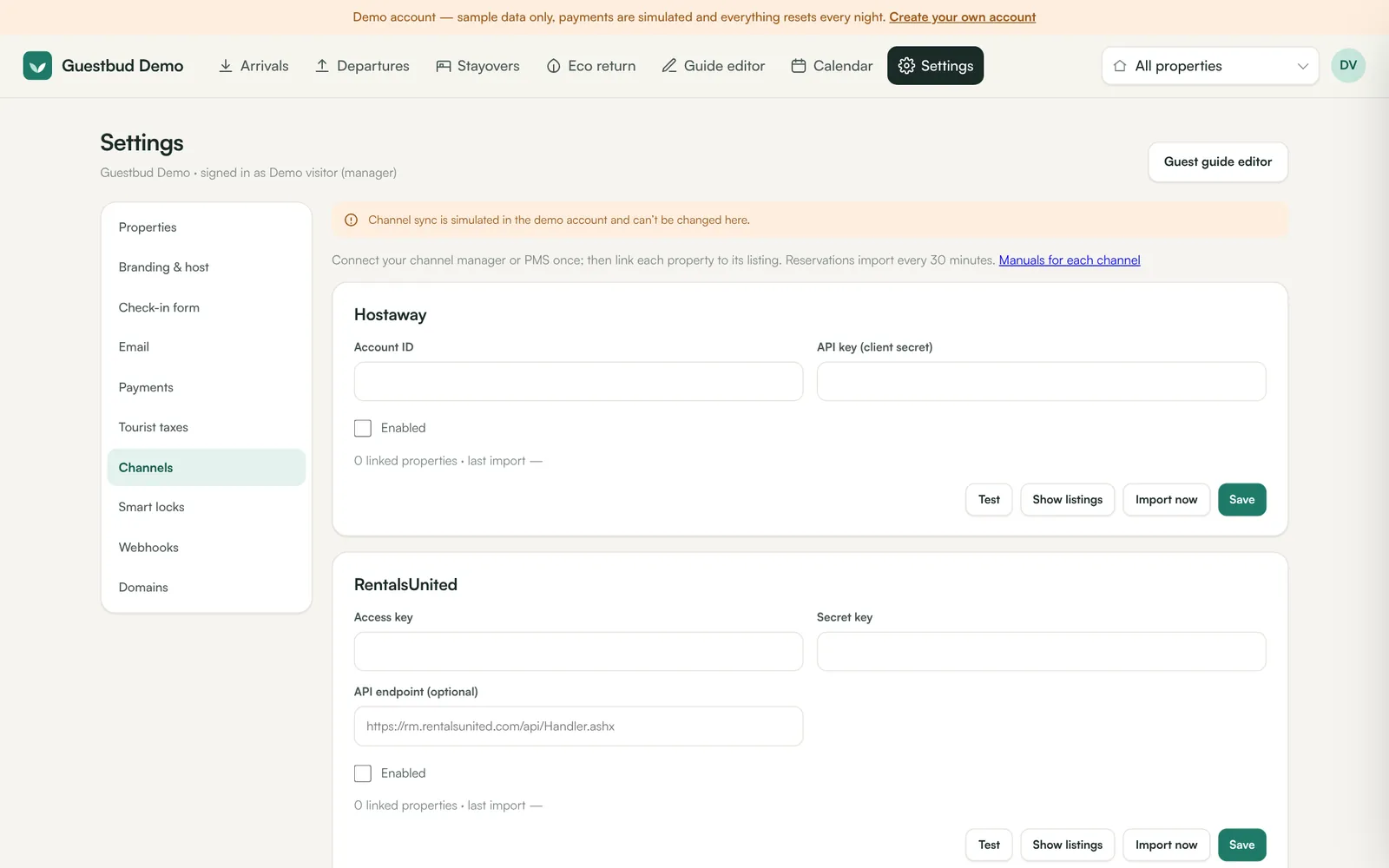
- Open Settings → Channels → Hostaway.
- Paste the Account ID and the API key (client secret).
- Tick Enabled and click Save, then Test. You should see Hostaway: connected.
3. Link your properties #
- Click Show listings in the Hostaway card. You see every listing with its ID.
- Open Settings → Properties → Settings for each property and paste the listing ID into Hostaway listing ID.
- Save. Properties that don't exist yet can be created with + Add property first.
4. Import #
Click Import now to fetch reservations immediately. After that, imports run automatically every 30 minutes for stays from 30 days ago up to about 18 months ahead.
5. Invite guests #
Imported bookings get their own portal link at once. You can send it:
- by email from the booking (Email portal link to guest);
- in the channel's chat — Send portal link via Airbnb (or Booking.com, Vrbo …) on the booking. The message goes through Hostaway into the guest's inbox on the platform they booked with;
- automatically a few days before arrival: Settings → Email — Email the portal link to new guests automatically and/or Also send it through the booking channel's chat.
6. Message guests #
The booking's Messages section shows the conversation from Hostaway (guest messages and yours) and lets you reply in the channel's chat. Messages are sent exactly as written — placeholders such as [guest_name] are not filled in, so a message that still contains one is refused. Details: Email and notifications.
Frequently asked questions #
Which data comes from Hostaway and which stays here? #
Inquiries, pending and unconfirmed requests (for example a Vrbo request to book), expired or declined requests and owner stays are not imported — only real stays. Hostaway owns the dates, status, guest counts and the contact details from the booking. The online check-in data, payments, deposit status, door codes and your notes live in the guest portal and are never overwritten.
What happens when a reservation is cancelled in Hostaway? #
The booking is marked as cancelled at the next import; the guest portal shows the cancellation and the dates become free.
Some guests have no email address? #
Channels often hide the real email. Send the portal link through the channel's chat instead — Send portal link via … on the booking, or switch on the automatic chat invitation in Settings → Email.