Account & team · for tenants
Email and notifications
Emails guests and hosts receive, automatic portal-link invitations, sender settings — and messages to guests in the Airbnb or Booking.com chat.
All emails use your brand name, colour and logo and the same warm look as the guest portal. They work in every common mail app, with a plain-text version for older clients.
Emails guests receive #
| When | |
|---|---|
| Your stay guide | When you click Email portal link to guest, or automatically before arrival |
| Reminder | When you click Send reminder on a booking with open steps |
| Payment receipt | After every successful payment (tourist tax, deposit, extras) |
| Deposit update | When you release a deposit in full or retain part |
Emails you receive #
Online check-in completed goes to the address under Notify me at (or the host email) whenever a guest finishes the check-in.
Settings #
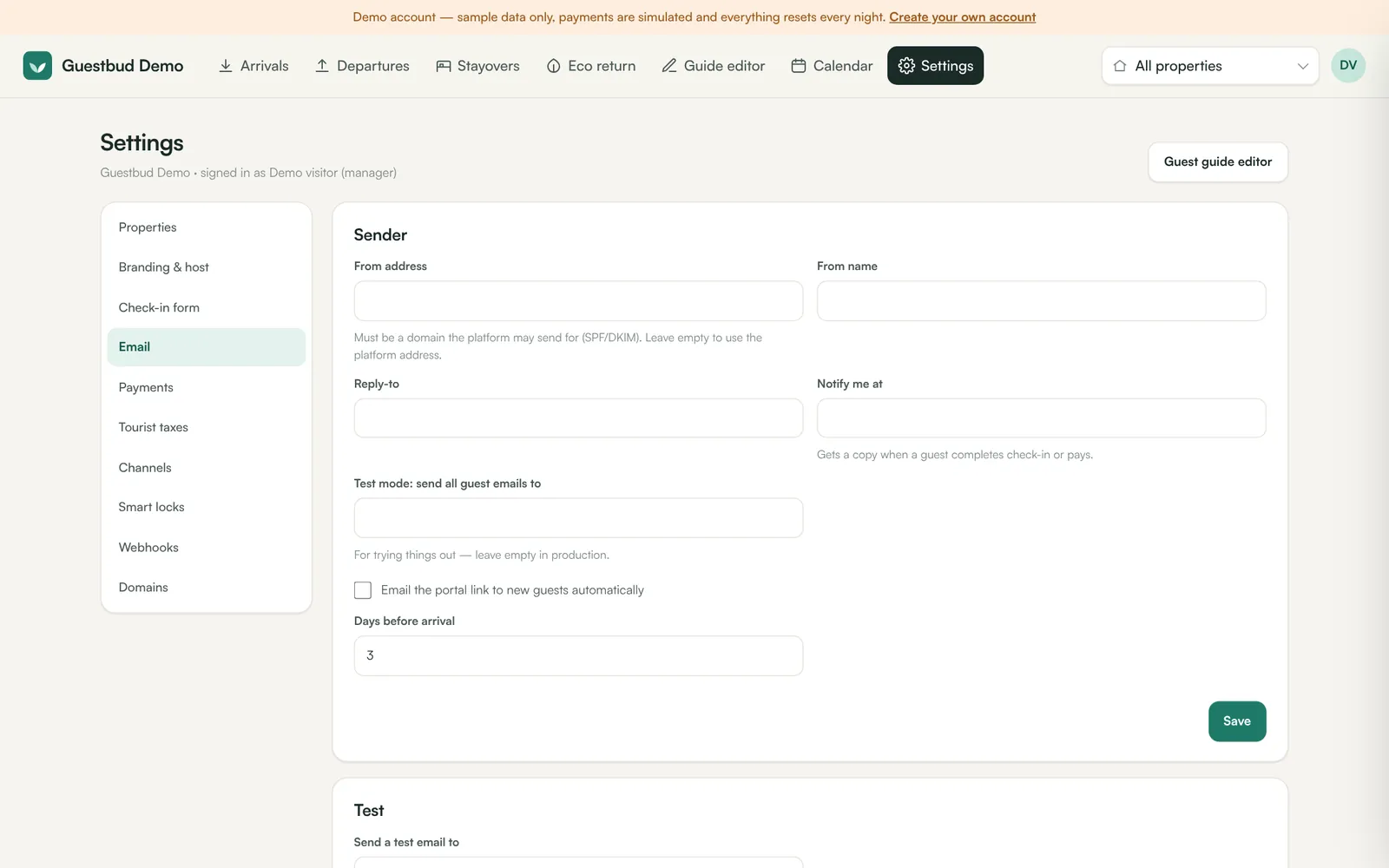
Settings → Email:
- From address — must be a domain the platform is allowed to send for; leave empty to use the platform address. From name is usually your brand.
- Reply-to — where guest replies go.
- Notify me at — host notifications.
- Test mode — every guest email goes to this address instead. Use it while setting up; leave it empty in production.
- Email the portal link to new guests automatically … days before arrival — sent once per booking, only when the guest has an email address.
Send test email checks the whole chain. Recent emails lists what was handed to the mail server.
Messages through the booking channel #
Guests from Airbnb, Booking.com, Vrbo or Expedia often share no email address. When the booking comes from Hostaway or Channex, you can write to the guest in the channel's own chat right from the booking:
- Open the booking → Messages shows the conversation from the channel (guest messages and yours). Write in the box and press Send — the message appears in the guest's Airbnb / Booking.com inbox.
- Send portal link via Airbnb (or Booking.com …) sends the stay-guide link with a short explanation; once sent, the button becomes Send reminder.
- Settings → Email → Also send it through the booking channel's chat sends the portal link automatically a few days before arrival, together with (or instead of) the email.
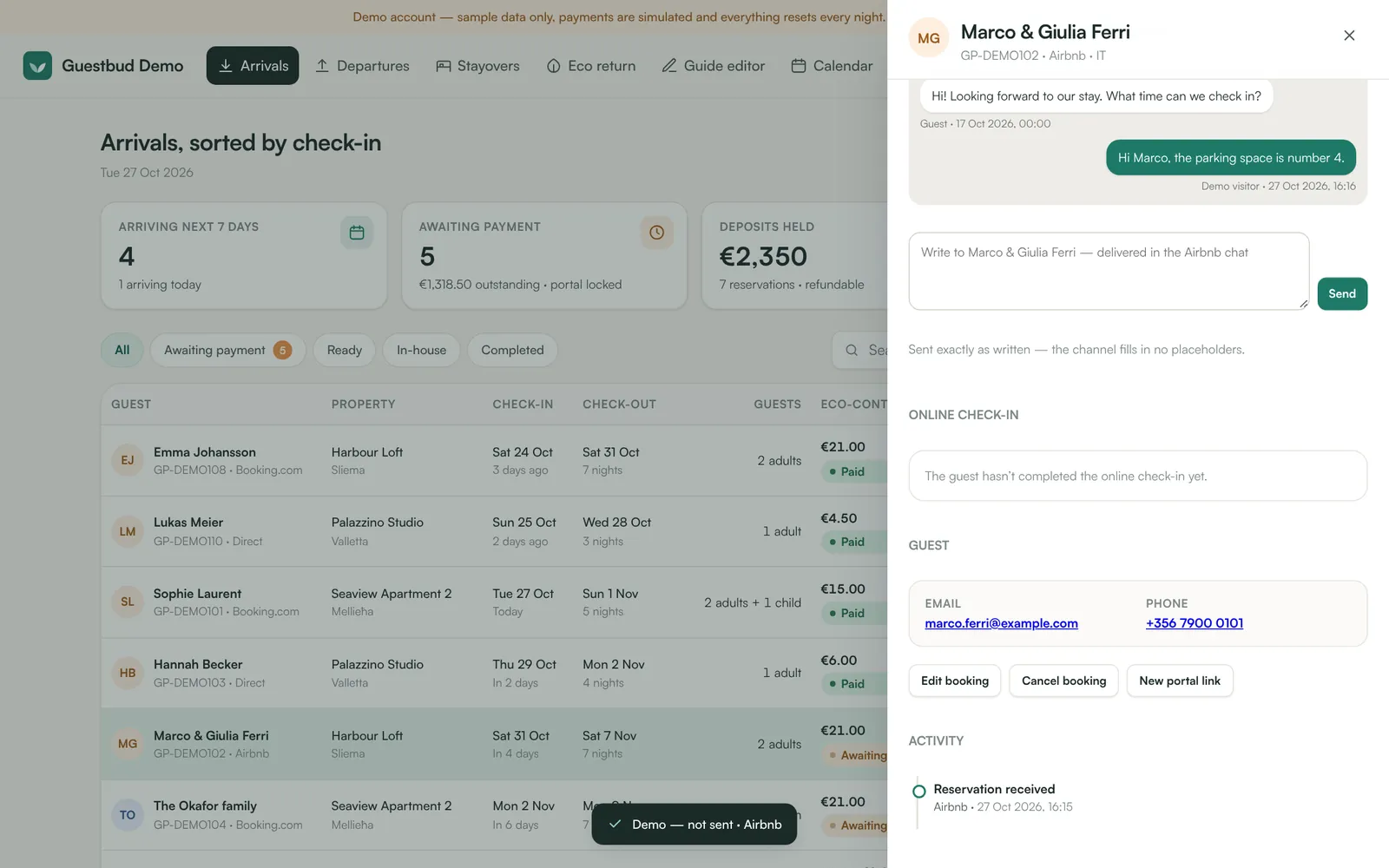
Messages are delivered exactly as written. Placeholders such as {{guest_name}} or [guest_name] are not filled in by the channel, so a message that still contains one is refused. For Channex the Messages app must be installed (app.channex.io → Applications); Channex supports messages for Booking.com, Airbnb and Expedia bookings. RentalsUnited, Leviathan and iCal have no guest-messaging interface — use email or phone there. Every message sent is listed in the booking's activity, and the message.sent webhook fires.
Frequently asked questions #
Why does an email show as queued but never arrive? #
Queued means our server handed it to the mail server. Check the guest's spam folder and ask the platform operator to check the mail server's SPF and DKIM for your From domain.
Are emails sent from the demo account? #
No — the demo never sends real emails.