Payments & taxes · for tenants
Deposits, waivers and manual payments
Hold or charge security deposits, release them in full or in part after check-out, waive the tourist tax or deposit with a reason, record cash payments.
Security deposits #
Set the amount per property in the Guide editor → Payments & rules (0 means no deposit). Choose how it is taken:
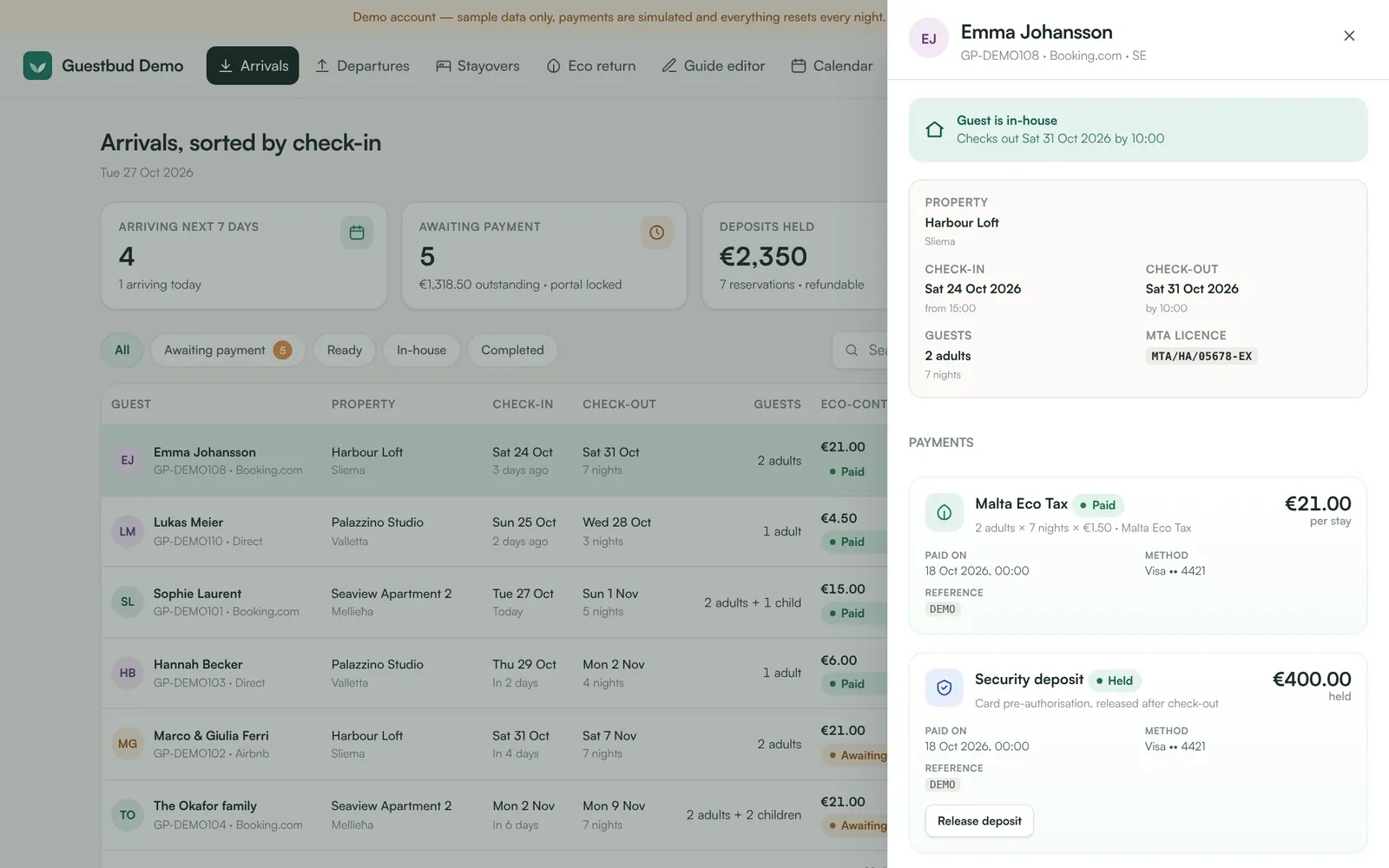
- Card pre-authorisation (hold) — the amount is reserved on the guest's card but not charged. You release it after check-out, or capture part of it if something is damaged. Holds expire after 7 days (30 days if your Revolut account supports extended authorisations — see Settings → Payments).
- Charged, then refunded — the amount is taken and refunded after check-out. Use this for longer stays.
Because a card hold only lasts a limited time, guests can place it from 5 days before check-in (28 days with 30-day holds); until then the portal tells them when. If a hold still expires before check-out, the guest is asked to place it again.
A single booking can skip the deposit: Edit booking → No security deposit for this booking.
Release a deposit #
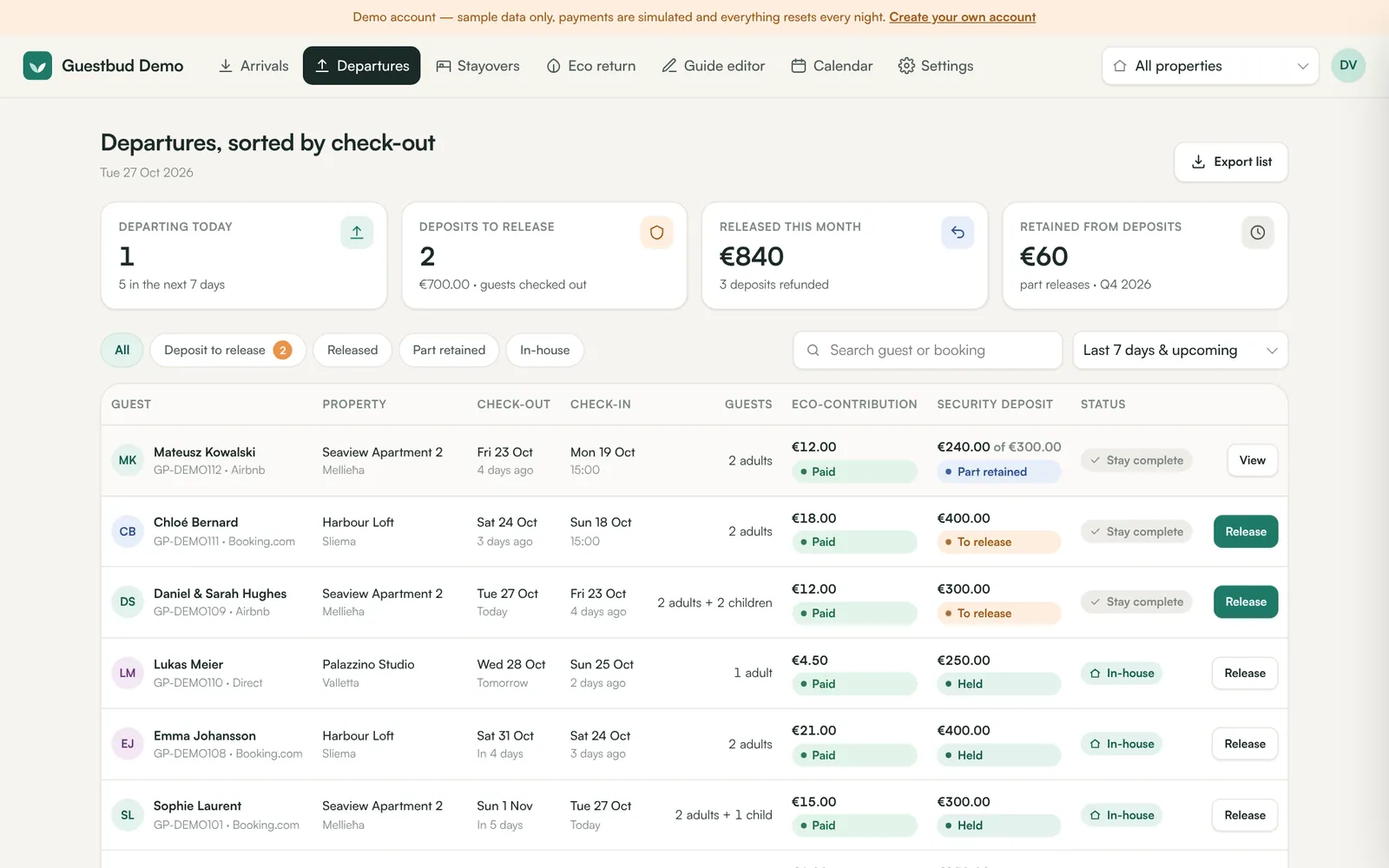
Departures shows deposits to release after check-out. Click Release (or open the booking → Release deposit):
- Release in full — the hold is cancelled or the charge refunded.
- Retain part — enter the amount and a reason (extra cleaning, damage, missing items, late check-out, unpaid extras). The rest goes back to the guest; the guest receives an email with the reason.
Waive a payment #
A payment the guest is completing at that very moment can't be waived or marked as paid — wait until it has gone through or failed.
Sometimes a guest shouldn't pay — your own guests, a repeat guest, a complaint. Open the booking and click Waive on the tourist tax or the deposit, choose a reason and add an optional note. The portal unlocks when the other steps are done. Undo waiver asks the guest to pay again.
Cash and bank transfer #
If the guest paid outside the portal, click Mark as paid (cash / transfer) on the payment. It is recorded with your name and the time in the activity log. Turn on Manual payment in Settings → Payments and add instructions if you want guests to see that option.
Failed payments #
When a card is declined the payment shows Failed with the reason, and the guest can try again in the portal. You can also waive or mark it as paid.
Frequently asked questions #
When can I release the deposit? #
Any time after the payment is held — usually after check-out. The dashboard warns you if the guest hasn't checked out yet.
What if the hold expired before I released it? #
The money was never charged, so the guest already has it back. After check-out the booking shows the deposit as released; before check-out the guest is asked to place the hold again.