Payments & taxes · for tenants
Apple Pay and Google Pay
Offer Apple Pay and Google Pay in the guest portal through your Revolut merchant account — no PCI work for you, one-tap payments for guests.
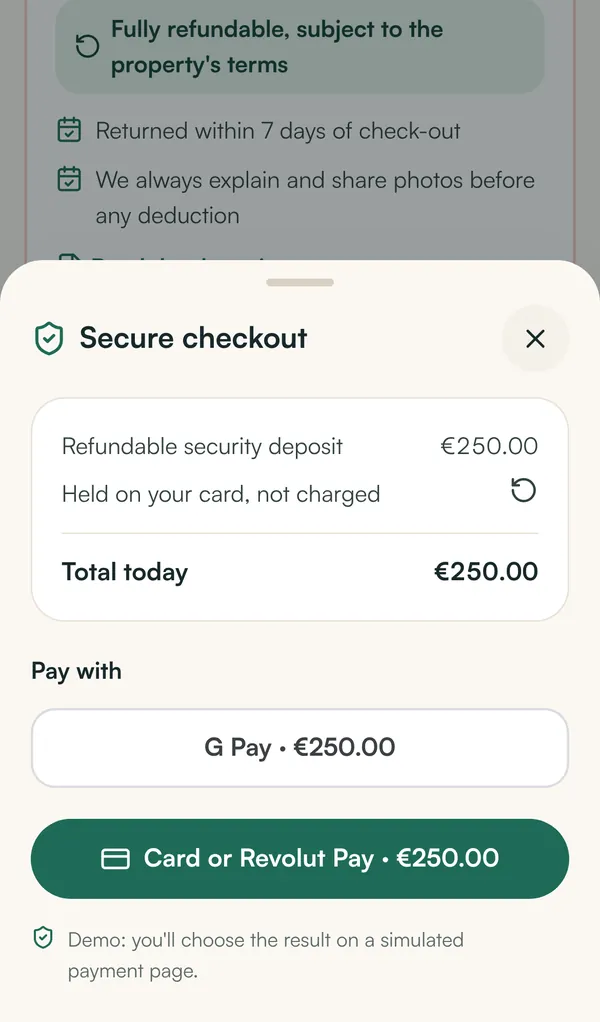
Guests can pay the tourist tax, deposit and extras with Apple Pay or Google Pay. The wallets run through your Revolut merchant account, so there is no extra contract, no certificate handling and no PCI compliance work on your side.
Why through Revolut? #
Accepting Apple Pay or Google Pay directly means decrypting card tokens on your own server — that requires PCI DSS certification and a direct acquiring contract. Revolut does this for you: the wallet sheet is embedded in the portal, Revolut processes the token, and the payment lands in your merchant account like any card payment.
Requirements #
- Revolut is connected (secret and public key) — see Revolut payments.
- Google Pay works on any portal address.
- Apple Pay needs your own domain (for example
stay.your-company.com) that is registered with Revolut, because Apple verifies the domain. See Custom domains and SSL.
Switch on Google Pay #
Settings → Payments → Payment methods → Google Pay → Save. Guests on Android and Chrome now see the Google Pay button above the card option.
Switch on Apple Pay #
- Connect your own domain to the portal (ask the platform operator; the certificate is automatic).
- In Revolut Business open Merchant → Apple Pay (in the merchant settings) and download the domain-association file.
- In Settings → Payments → Apple Pay domain, paste the file contents and click Save file. The portal now serves it at
/.well-known/apple-developer-merchantid-domain-association. - Click Register domains. Each of your domains is registered with Revolut; the result is shown per domain.
- Tick Apple Pay under Payment methods and save.
Guests on iPhone, iPad and Safari on Mac now see the Apple Pay button.
Testing #
In sandbox mode the wallet buttons use Revolut's test environment. Apple Pay and Google Pay test behaviour depends on the device; card payments with the test cards are the most reliable test.
Frequently asked questions #
Do guests see the wallet buttons for the deposit too? #
Yes. Deposit holds via Apple Pay and Google Pay are pre-authorisations, just like card holds.
Why doesn't the Apple Pay button appear? #
Check that the guest uses Safari on an Apple device with a card in Wallet, that the portal is opened on your registered domain, and that the domain shows registered in Settings → Payments.