Compliance & door access · for tenants
Nuki smart locks — automatic door codes
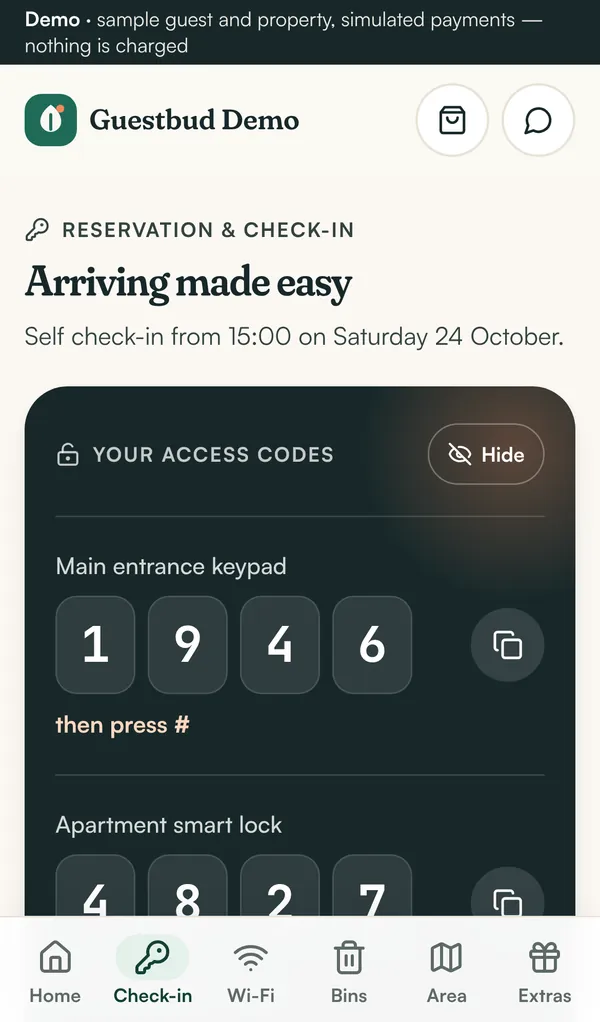
Connect Nuki: every paid stay gets its own keypad code, valid from check-in to check-out, shown in the guest portal and removed after the stay.
With a Nuki Smart Lock and a Nuki Keypad, every guest gets their own keypad code, valid only from check-in to check-out. No key handover, no shared codes that circulate for months.
How it works #
- A booking is created (by hand or from your channel).
- Once the stay is unlocked (check-in done and payments settled or waived) and arrival is close, the guest portal creates a keypad code on your lock through the Nuki Web API.
- The guest sees the code in the portal around the stay — never before.
- After check-out the code is deleted automatically.
Codes are 6 digits from 1 to 9 (the Nuki keypad has no 0) and never start with 12, as Nuki requires. If Nuki is unreachable, the portal retries every hour and shows the last error on the booking.
1. Create a Nuki Web API token #
- Sign in at
https://web.nuki.iowith the Nuki account that owns the locks. Nuki Web must be activated for the lock. - Open API and generate an API token with permission to manage authorisations of your smart locks.
- Copy the token.
2. Connect Nuki #
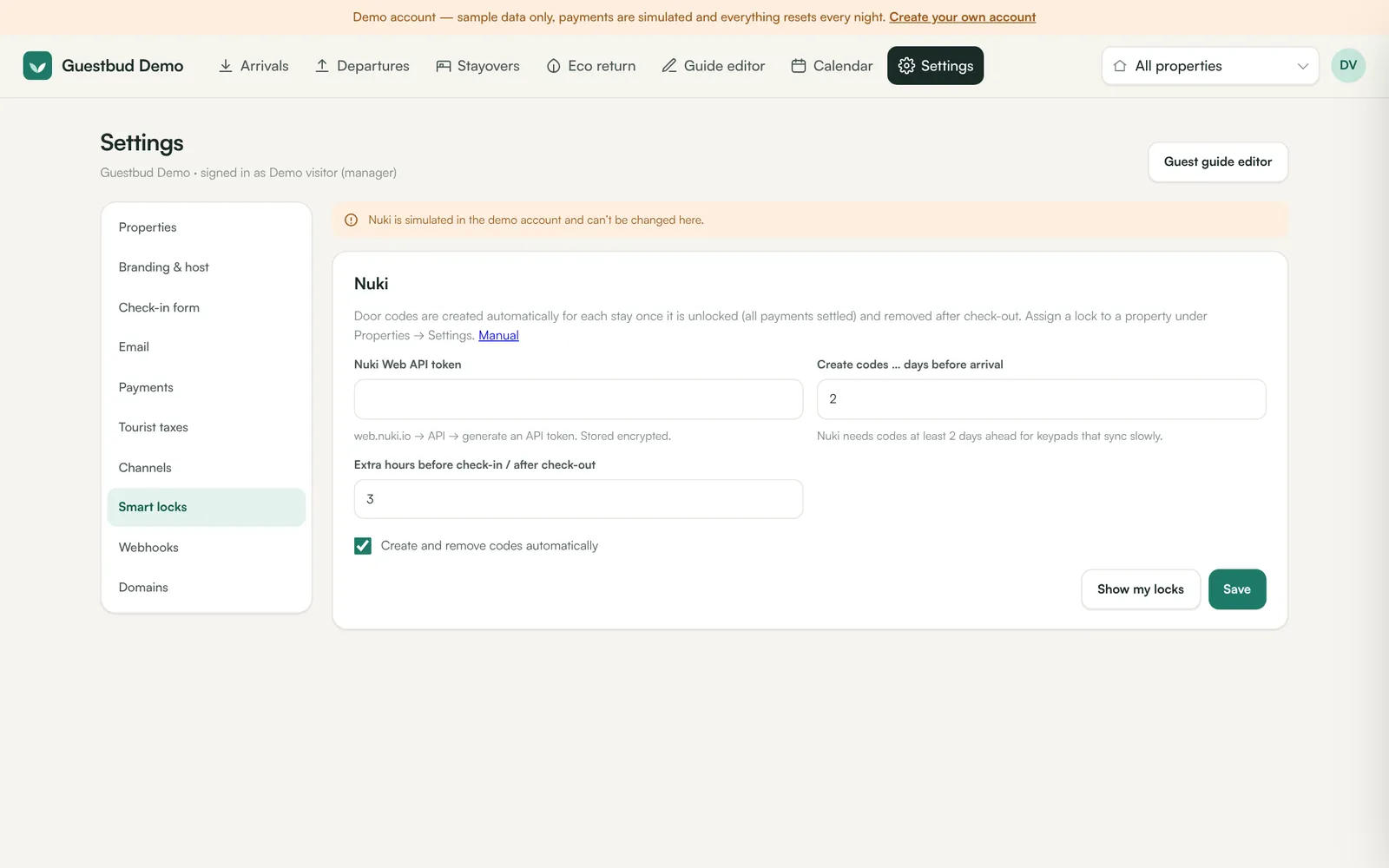
- Settings → Smart locks.
- Paste the Nuki Web API token (stored encrypted).
- Create codes … days before arrival — at least 2 days, so the lock has time to sync the new code.
- Extra hours before check-in / after check-out — for example 3 hours of grace on both sides.
- Keep Create and remove codes automatically ticked and Save.
- Click Show my locks to see the smartlock IDs.
3. Assign the lock to a property #
Settings → Properties → Settings → Smart lock: paste the Nuki smartlock ID and set how the guest sees it (for example Front door keypad). Save. One lock per property; other fixed codes (for example a building entrance) can stay in the guide editor.
4. Check a booking #
Open a booking: the Door code section shows the status (not set yet, active, removed), the validity window and the code. Create code now forces it (for example for an early arrival), Remove code deletes it immediately.
Frequently asked questions #
Can a guest get a code before paying? #
No. The code is only created for unlocked stays and only shown inside the stay window.
What if I change the dates of a booking? #
Click Renew code on the booking so the code's validity follows the new dates.
Does the demo account use real locks? #
No. In the demo the door codes are simulated.