Operators · for operators
Operator guide — tenants, domains, sign-ups and tax definitions
Operator console: create tenants, self sign-up, domains and certificates, platform tax definitions, website settings, enquiries and the demo tenant.
Everything here happens in the platform console at /admin (superadmins only).
Create a tenant #
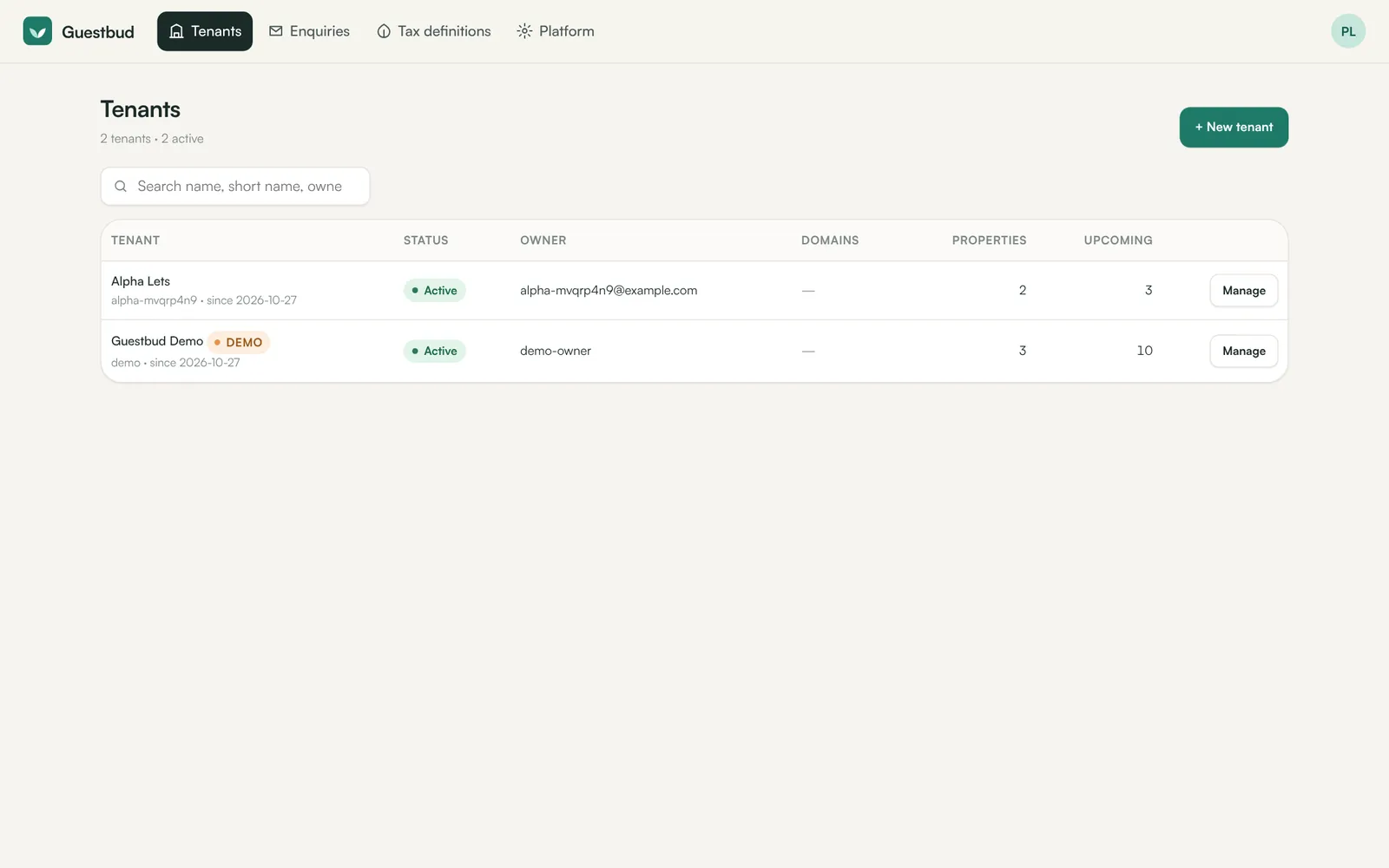
Tenants → + New tenant: company name, short name (URL), owner name and email, optional custom domain. The tenant gets its own data folder and an owner login; the temporary password is shown once, together with the sign-in link. The owner must change it at the first sign-in.
Self sign-up #
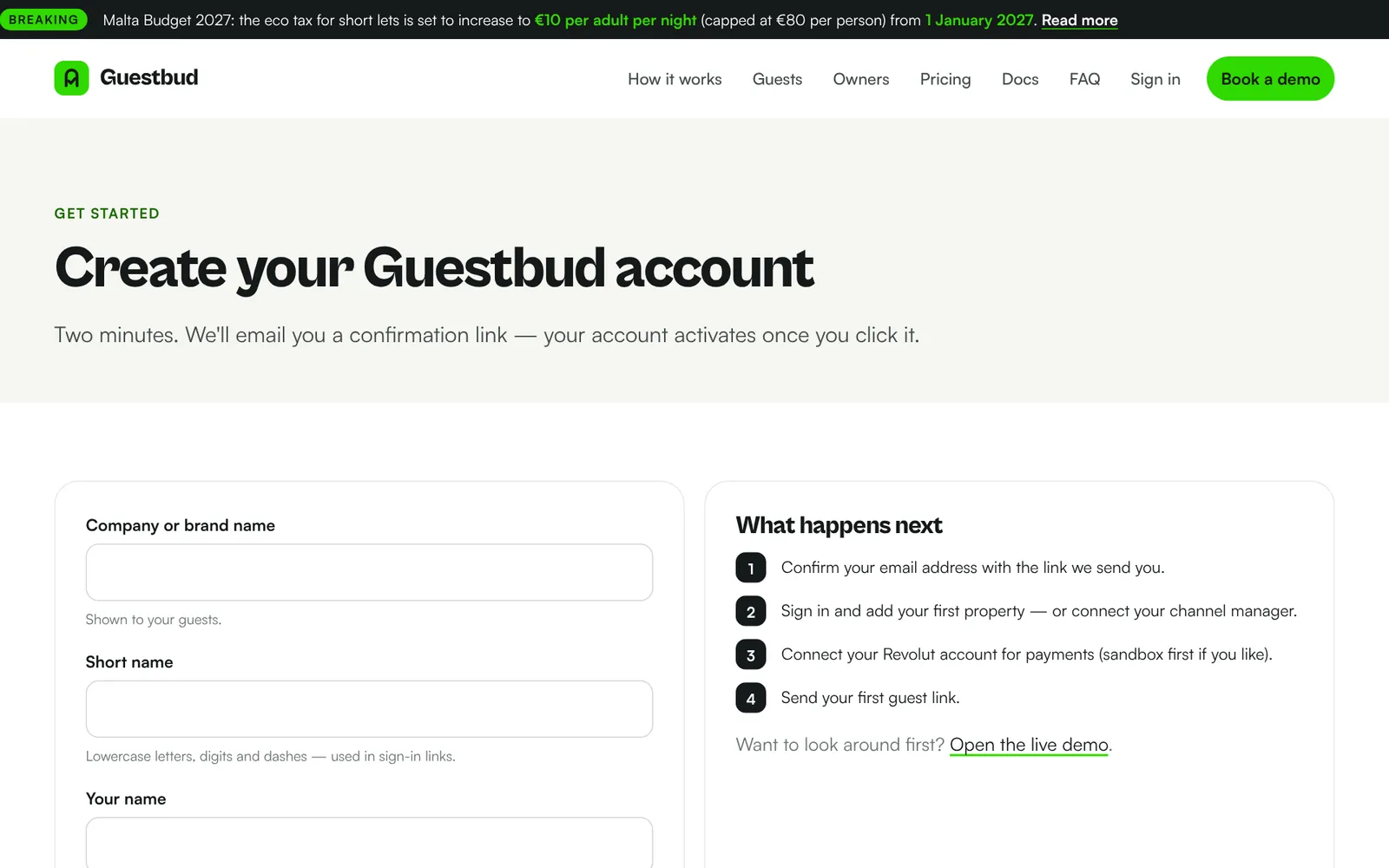
Prospects can sign up at /signup. They receive an email with a confirmation link (valid 3 days); unconfirmed sign-ups are removed after 7 days.
When Google or phone.codeb.io is set up under Platform → Sign-in providers, the sign-up page also offers Sign up with Google / Sign up with phone.codeb.io. The name and email come from that account; if the provider has verified the email address, no password and no confirmation email are needed — the account is active (or awaiting approval) at once and the owner signs in with the same provider. The sign-in identity is linked to the owner, and the notification email says which provider was used. Under Platform → Sign-up & contact you choose whether confirmed accounts are active immediately or awaiting approval — then set the status to Active in the tenant's Manage dialog and the owner is notified by email.
Manage a tenant #
Manage opens a dialog to rename, change the status (active, suspended, email not confirmed, awaiting approval), manage domains, reset the owner's password, open the backend as support (recorded in the tenant's audit trail) or delete the tenant. Deleting archives the data into deleted\ and immediately stops all links, domains and logins.
Custom domains and certificates #
- The tenant creates a CNAME (or A record) to the platform.
- In Manage → Add a domain enter it — optionally pinned to one property.
- DNS checks whether it points here. With automatic mode on, the certificate is requested within 15 minutes after DNS points here; Certificate requests it immediately.
- The worker task runs win-acme as SYSTEM, adds the IIS bindings and installs the certificate. Platform → Certificates shows the state and the last result per domain, and when the worker was last seen.
Tourist-tax definitions #
Tax definitions holds platform-wide definitions all tenants can use. Two are built in and editable but not deletable:
- Zero tax — charges nothing.
- Malta Eco Tax — €1.50 per guest aged 18+ per night, max 15 nights, for check-ins from 1 July 2026 (€0.50, max 10 nights before). Default for country MT and used for the MTA eco return.
Add a new rate period when a law changes, with the date it takes effect — old bookings keep their rate. Mark one definition per country as default for properties set to Automatic. Tenants add town-level taxes such as a Kurtaxe themselves.
Website settings #
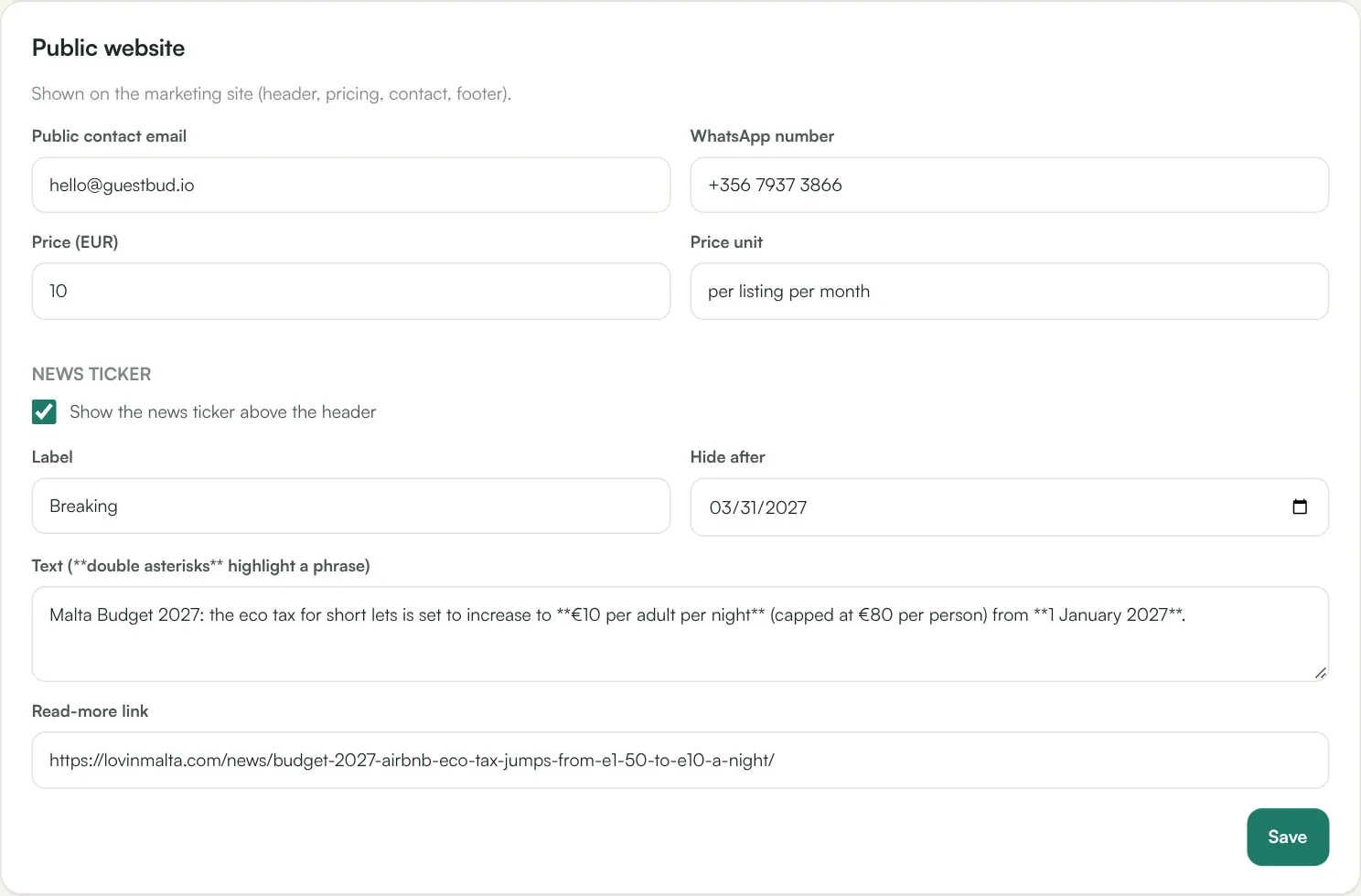
Platform → Website controls what the public site shows: the contact email and WhatsApp number (header, contact section, footer), the price per listing (hero, pricing, FAQ, structured data) and the news ticker above the header — label, text (wrap a phrase in double asterisks to highlight it), a read-more link and a date after which it hides itself. Contact-form messages arrive under Enquiries and by email.
Enquiries #
Contact-form messages are stored under Enquiries and emailed to the operator address; each sender gets an acknowledgement. Mark them handled, add notes, or delete them.
Demo tenant #
The demo (short name demo, login demo / demo-guestportal) has sample properties and bookings, simulated payments, simulated door codes and no outgoing email or webhooks. It resets every night at 03:00; Platform → Demo → Reset demo now resets it on demand.
Platform API #
Provision tenants from other systems with a platform API key (Platform → API keys, gpp_…). See the platform section of the API reference.