Getting started · for tenants
The guest experience
What guests see: online check-in, tourist tax and deposit payments, then door codes, Wi-Fi, rubbish days, local tips and extras — installable on the phone.
Every booking gets a personal, unguessable link such as https://stay.example.com/g/…. There is no app and no account — the link is the key. This page explains what your guests see and in which order.
Before the stay: a few quick steps #
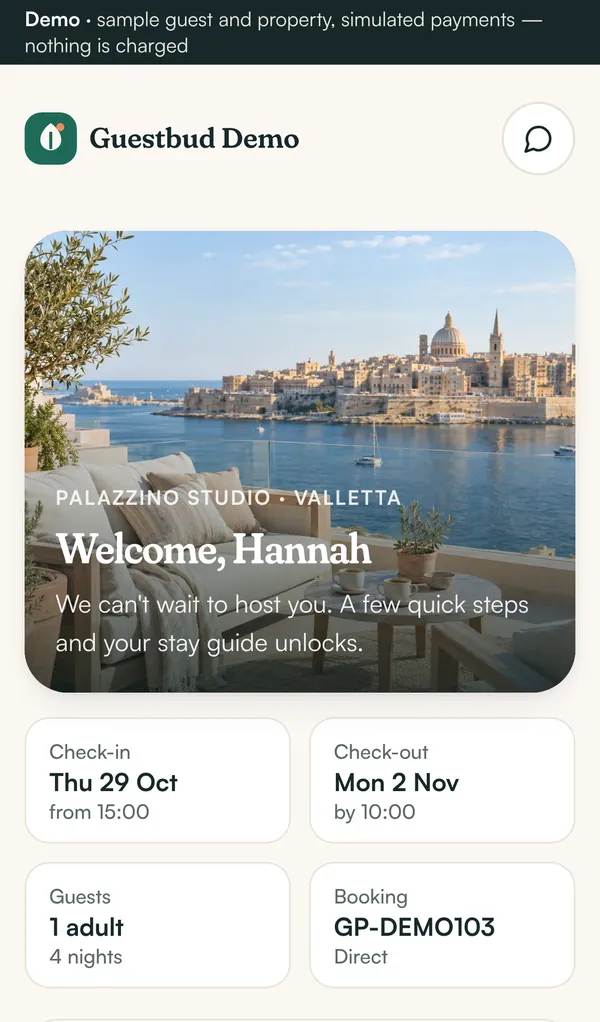
The welcome screen shows the property photo, dates, number of guests and the booking reference. Below it the guest works through up to three steps:
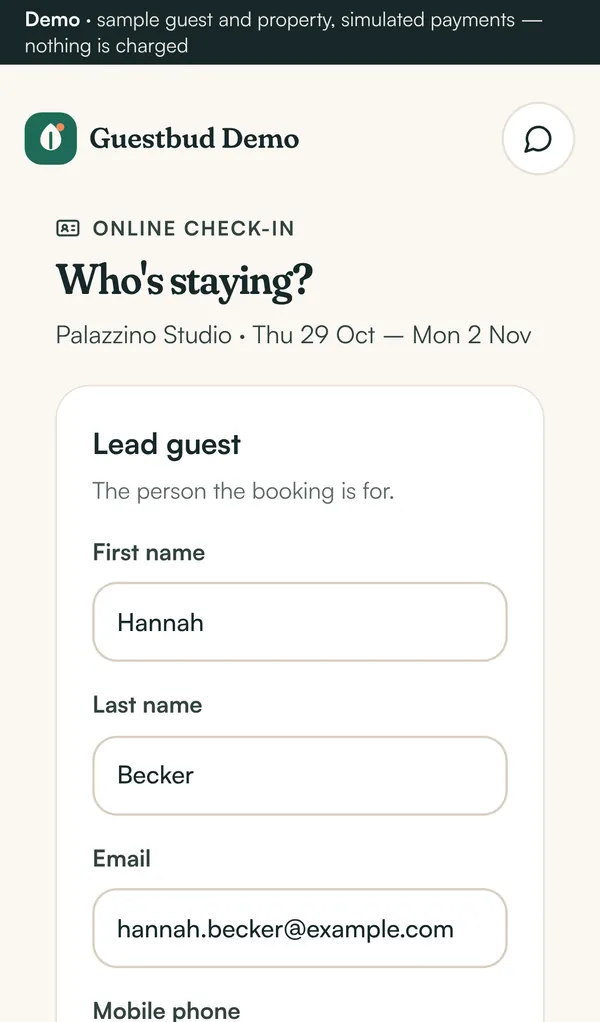
- Online check-in — name, contact details, date of birth, nationality, ID document, home address and co-travellers, plus acceptance of your house rules. Which fields are required is up to you (Settings → Check-in form). With the EU Digital Identity Wallet the guest can fill the form in one tap — see EUDI Wallet check-in.
- Tourist tax — for example the Malta eco-contribution. The amount is calculated from the property's tax definition, the number of adults and nights.
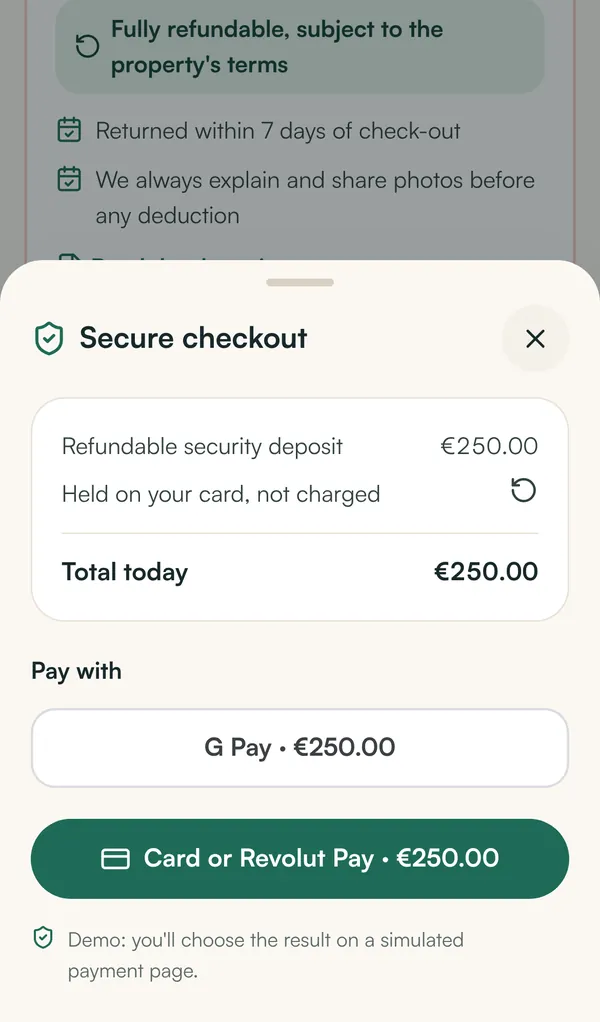
- Refundable security deposit — held on the card (pre-authorisation) or charged and refunded later, depending on the property.
Payments run on your Revolut merchant account: card, Apple Pay and Google Pay. Each step shows a clear status: not paid yet, waiting for bank, paid, failed — try again.
Unlocked: the stay guide #
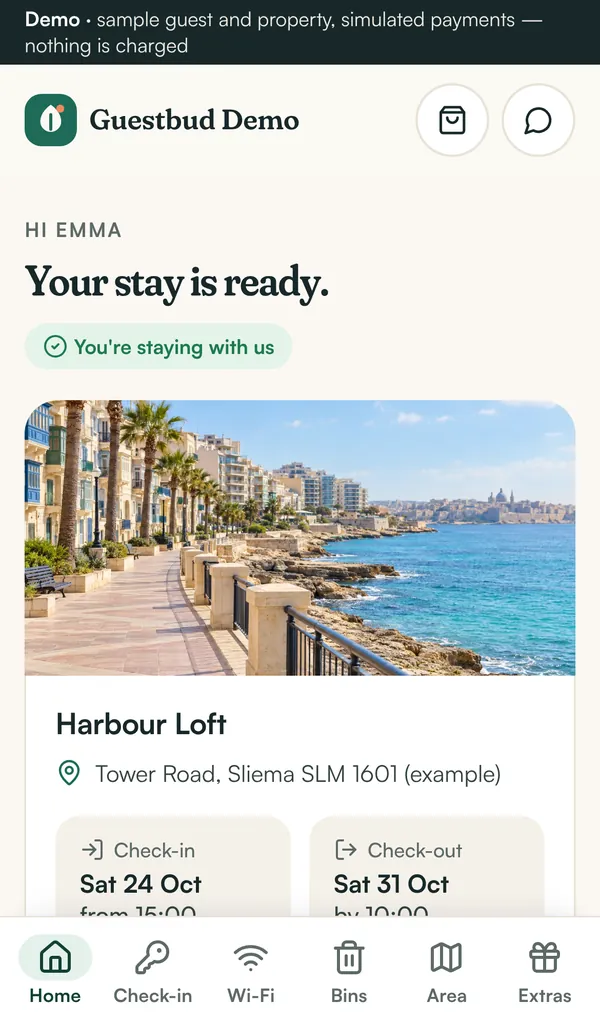
As soon as every step is done, the portal unlocks:
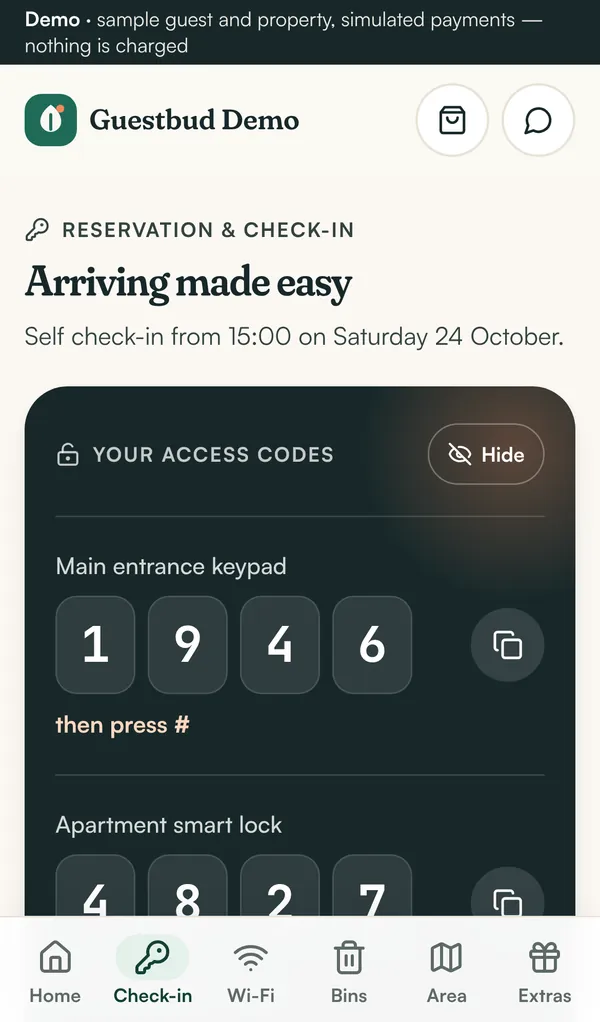
- Check-in — door codes (shown only around the stay), numbered arrival steps, arrival time picker, directions and the check-out checklist. With a Nuki smart lock each guest gets a personal keypad code.
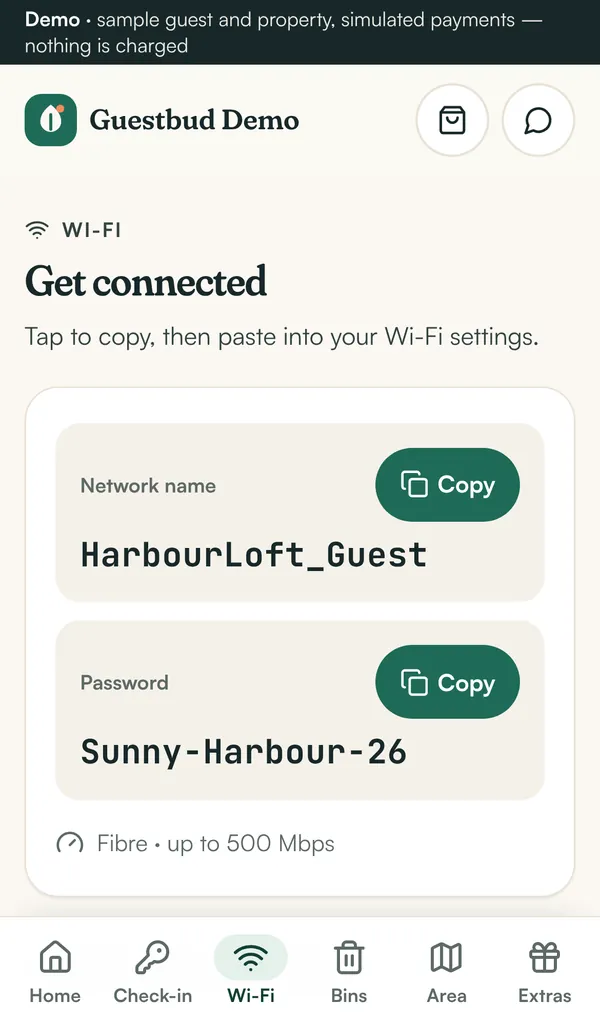
- Wi-Fi — network and password with copy buttons and a QR code.
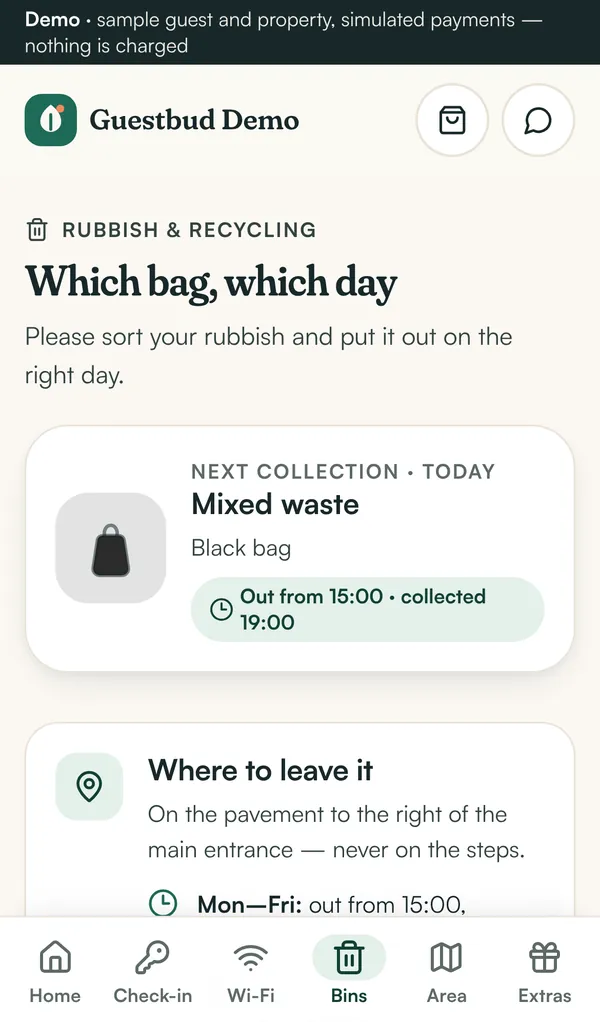
- Rubbish & recycling — the collection days of the stay as a little calendar, what goes in which bag. Can be hidden.
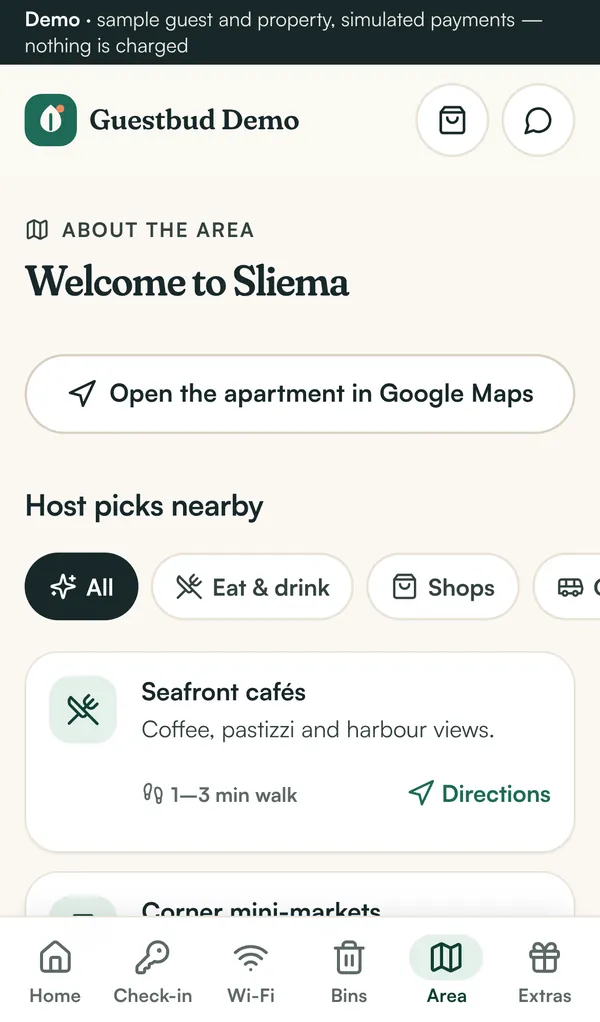
- Local tips — restaurants, shops, transport, emergency numbers with map links.
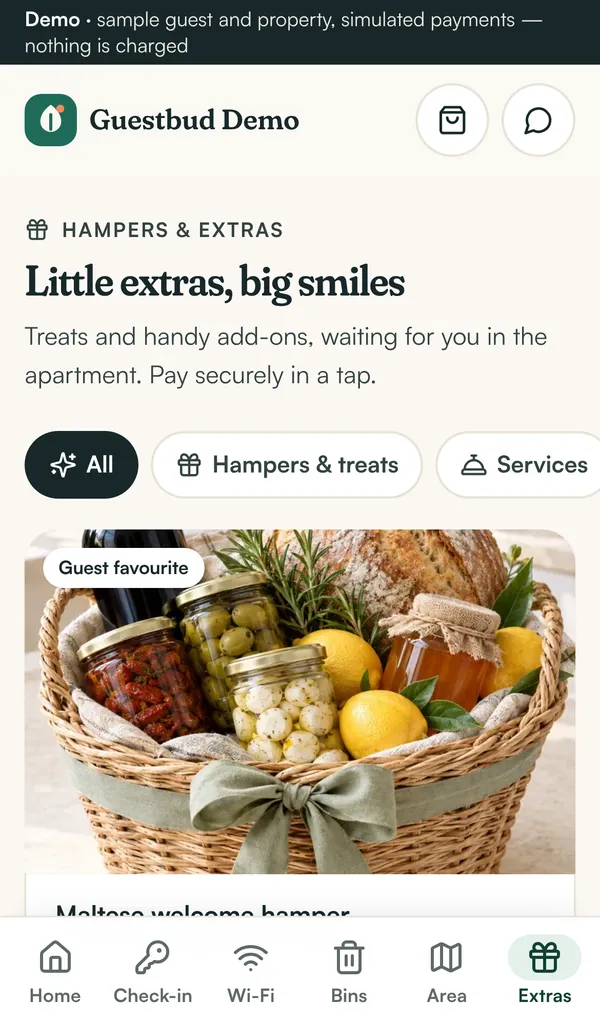
- Extras — hampers and services the guest can order and pay online.
- Help — your contact details, WhatsApp and phone.
After the stay #
The portal shows that the stay is complete and when the deposit will be released. Guests receive an email receipt for every payment and a message when the deposit is released.
On the home screen #
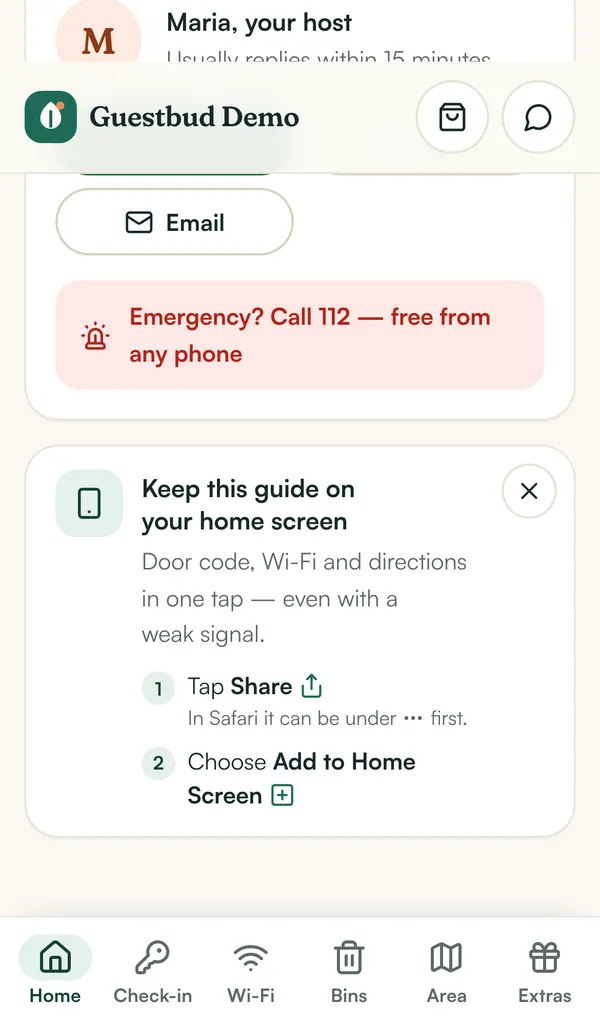
Every guest link is an installable app (PWA). On iPhone the guest taps Share → Add to Home Screen; on Android the portal offers Add to home screen directly. The icon uses your brand colour, the app opens full screen without the browser bar, and the last loaded guide (door code, Wi-Fi, directions) still opens with a weak or no signal. The portal shows a short hint with these steps, which the guest can hide.
Privacy and security for guests #
- Links are long random tokens and can be renewed by you at any time (New portal link in the booking).
- Codes and Wi-Fi are never sent before the stay is unlocked.
- ID photos and signatures are stored privately per host and never shown in the portal again.
- In Germany the registration data is deleted automatically after the legal retention period (Meldeschein).
Try it #
Open the sample guest portal on your phone: before arrival (check-in and payments still open) or during the stay (the unlocked guide). Payments there are simulated.
Frequently asked questions #
What if a guest has already paid the tourist tax in cash? #
Open the booking and click Mark as paid (cash or bank transfer), or Waive with a reason. The portal unlocks as soon as all steps are settled.
Which languages does the portal support? #
The portal is in English. Your own texts (welcome message, steps, tips) can be in any language.
Can guests change their check-in details later? #
Yes, until arrival — they click Review or change on the check-in step.