Getting started · for tenants
Local calendar, bookings and guests
Manage bookings without a channel manager: calendar, new bookings, edits and cancellations, date blocks, iCal export, arrivals and the guest directory.
Not every host uses a channel manager. Properties without a channel link use the built-in local calendar: you enter bookings yourself and keep your guest records here. Bookings imported from channels appear in the same calendar.
The calendar #
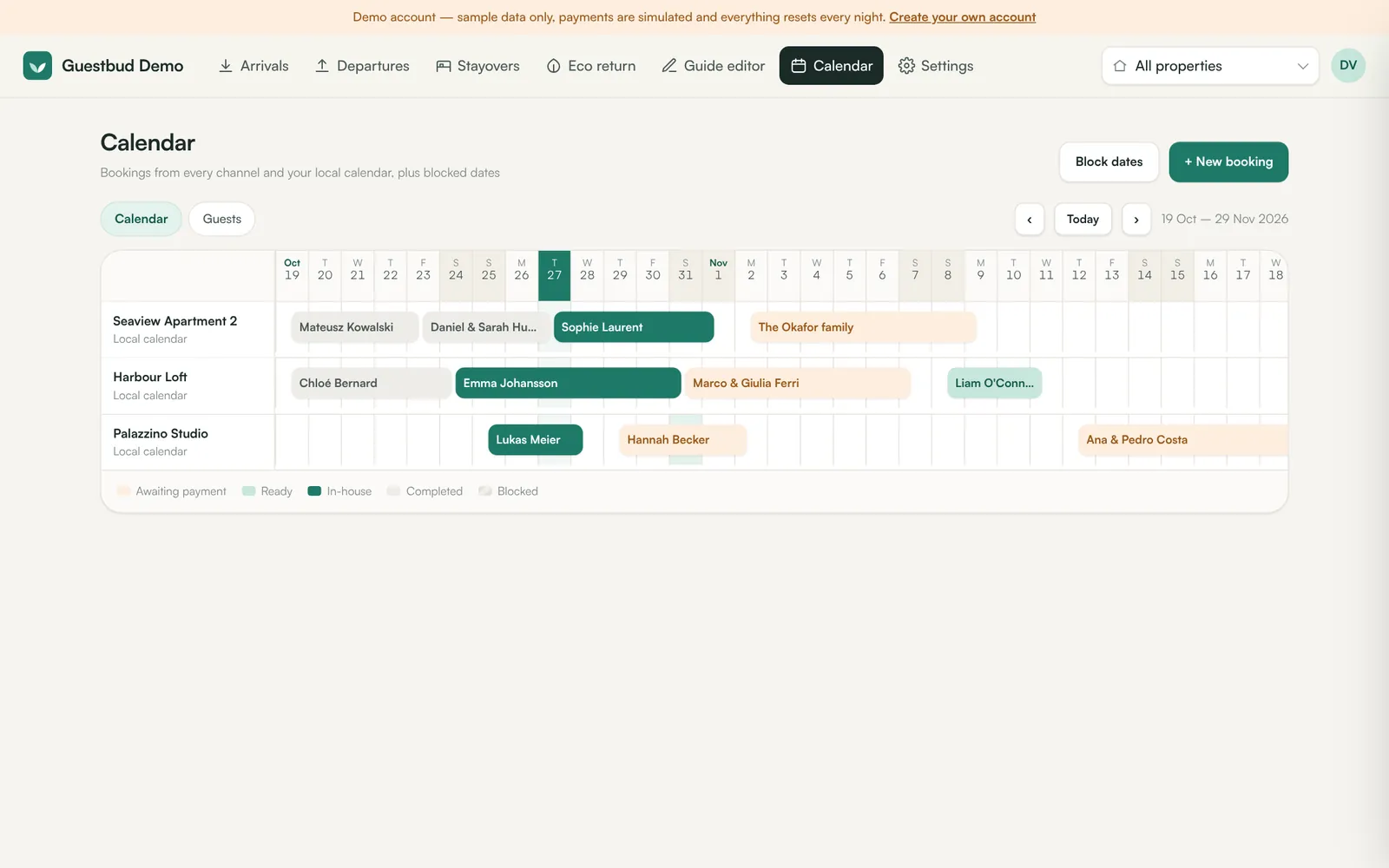
Calendar shows six weeks for all properties (or the one chosen at the top). Colours show the state of each stay:
| Colour | Meaning |
|---|---|
| Orange | Awaiting payment or check-in — portal locked |
| Light green | Ready — portal unlocked |
| Dark green | In-house |
| Grey | Completed |
| Striped | Blocked dates |
Click a bar to open the booking, or click an empty day to create a booking on that date.
Create a booking #
+ New booking asks for property, dates, guests (adults and under-18s), the guest's name and contact details, where it was booked and an optional price. Tick Email the guest portal link now to send the invitation straight away. Overlapping bookings are refused unless you confirm.
Edit, cancel, reinstate #
Open a booking to:
- Edit booking — dates, guests, contact details, internal notes, no deposit for this booking.
- Cancel booking — frees the dates; the guest portal shows the cancellation. Refunds are made in Revolut or your channel.
- Reinstate — undo a cancellation.
- New portal link — the old link stops working immediately.
Block dates #
Block dates reserves days for owner stays or maintenance. Blocks are part of the iCal export, so other channels close those dates too. Click a striped block to remove it.
iCal export #
Every property has a private iCal URL (Settings → Properties → Settings → iCal export). Paste it into Airbnb, Booking.com or any calendar to block dates booked here. Renew the URL if it was shared by mistake.
Arrivals, departures, stayovers #
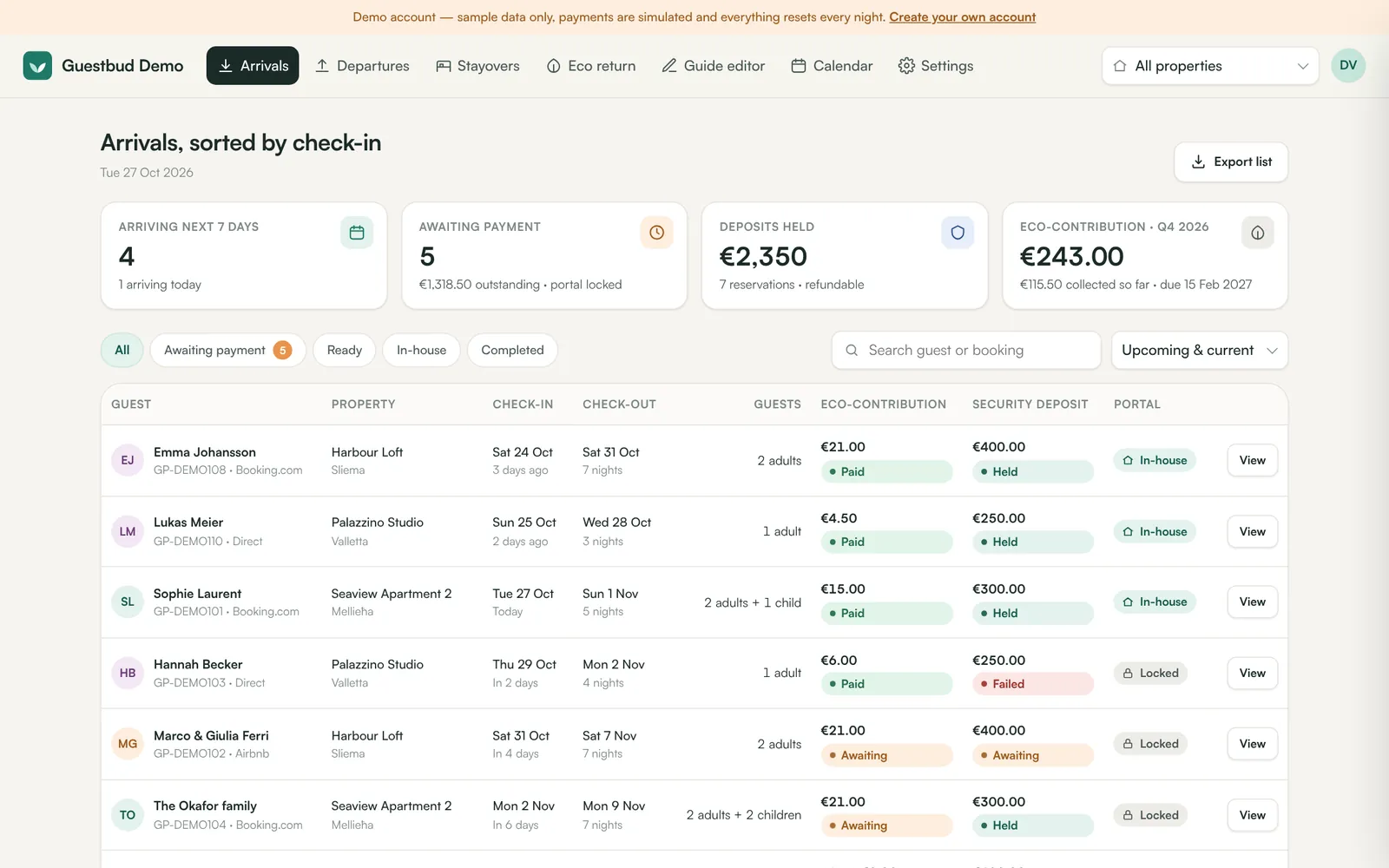
- Arrivals — sorted by check-in, with filters awaiting payment, ready, in-house, completed and quick KPIs.
- Departures — sorted by check-out, with deposits to release.
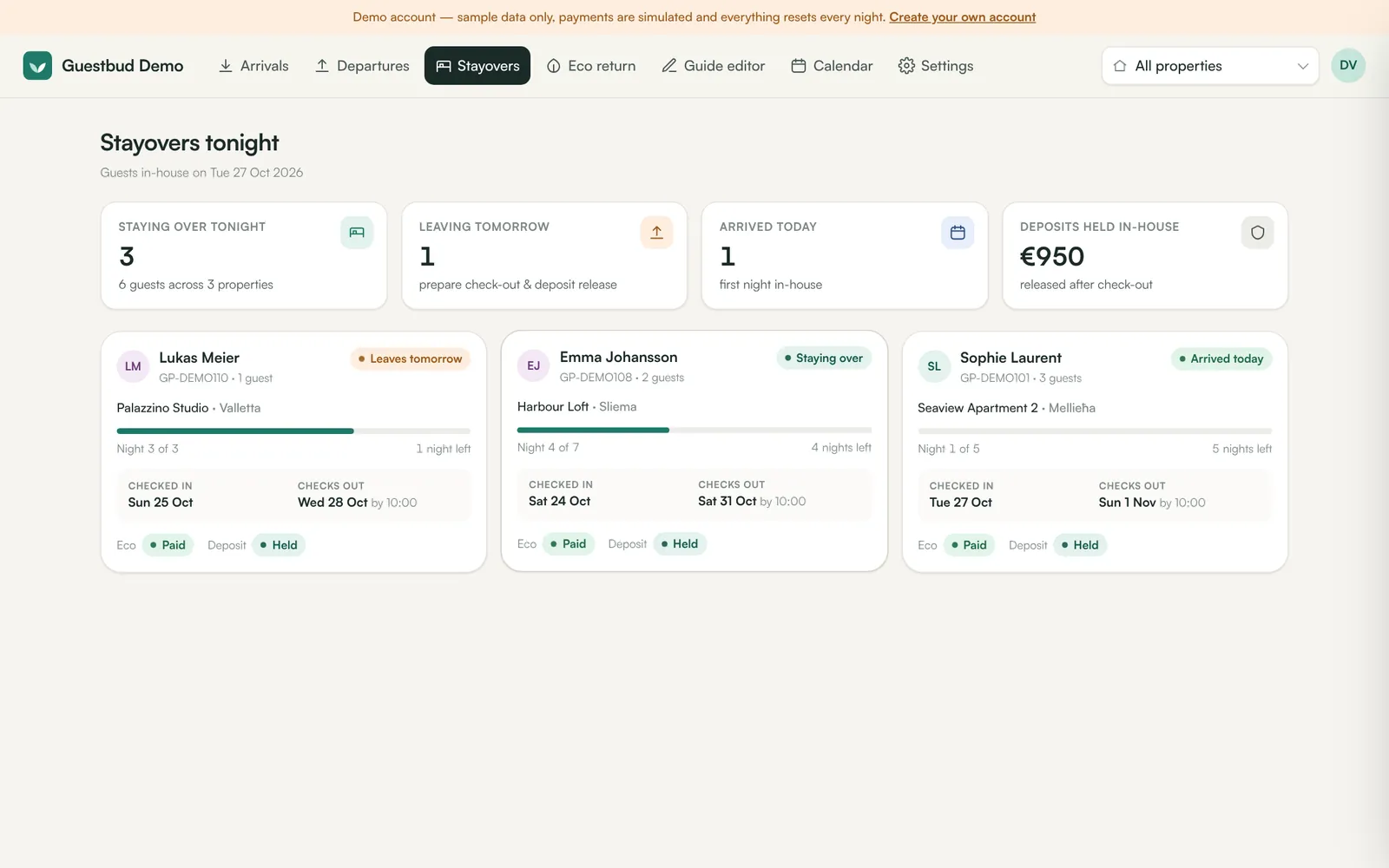
- Stayovers — who sleeps in your properties tonight.
Every list can be exported as CSV.
Guest directory #
Calendar → Guests lists every guest with their stays. Guests are added automatically from bookings and online check-ins. Open a record to correct details, add notes, or Erase (GDPR) — the bookings remain, personal check-in data of past stays is removed.
Frequently asked questions #
Can I mix local and channel bookings on one property? #
Yes. Bookings you create by hand stay local; imported channel bookings are updated by the channel. Overlap checks consider both.
How do I import my existing bookings? #
Connect your channel (see the channel manuals), add them by hand, or use the API to create them in bulk.