Getting started · for tenants
Properties and the guest guide editor
Add properties with licence, tax and check-in times, then fill in each stay guide — codes, Wi-Fi, rubbish days, tips, extras — with a live phone preview.
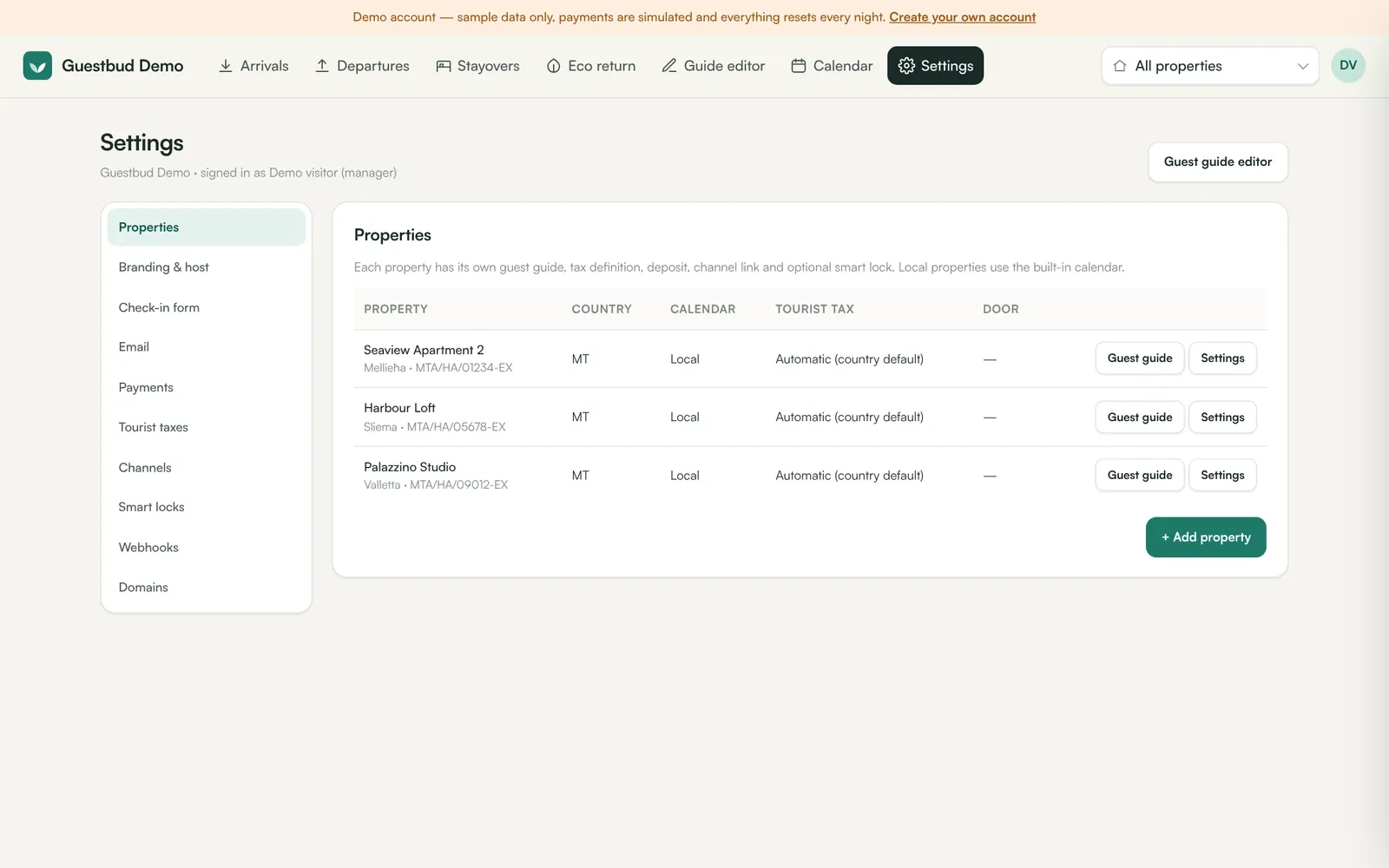
A property has two parts: its settings (country, tax, check-in rules, channel link, smart lock) and its guest guide (everything the guest reads in the portal).
Property settings #
Open Settings → Properties and click Settings next to a property (or + Add property).
| Field | What it does |
|---|---|
| Name, area | Shown on the welcome screen and in emails |
| Country, time zone | Decide the default tourist tax, the Meldeschein rule and when door codes start |
| Licence number | Malta: your MTA licence, used on receipts and in the eco return |
| Tourist tax | Automatic (country default), No tourist tax, or any platform or own definition — see Tourist taxes |
| Meldeschein | Automatic collects the German guest registration for non-German guests in German properties — see Meldeschein |
| Online check-in form | Use the account default, always required, or not required |
| Channel link | Listing ID in Hostaway, RentalsUnited, Channex or Leviathan, or an iCal import URL — empty means local calendar |
| Smart lock | Nuki smartlock ID — guests then get a personal keypad code |
| iCal export | A private URL you paste into other channels so they block dates booked here |
The guide editor #
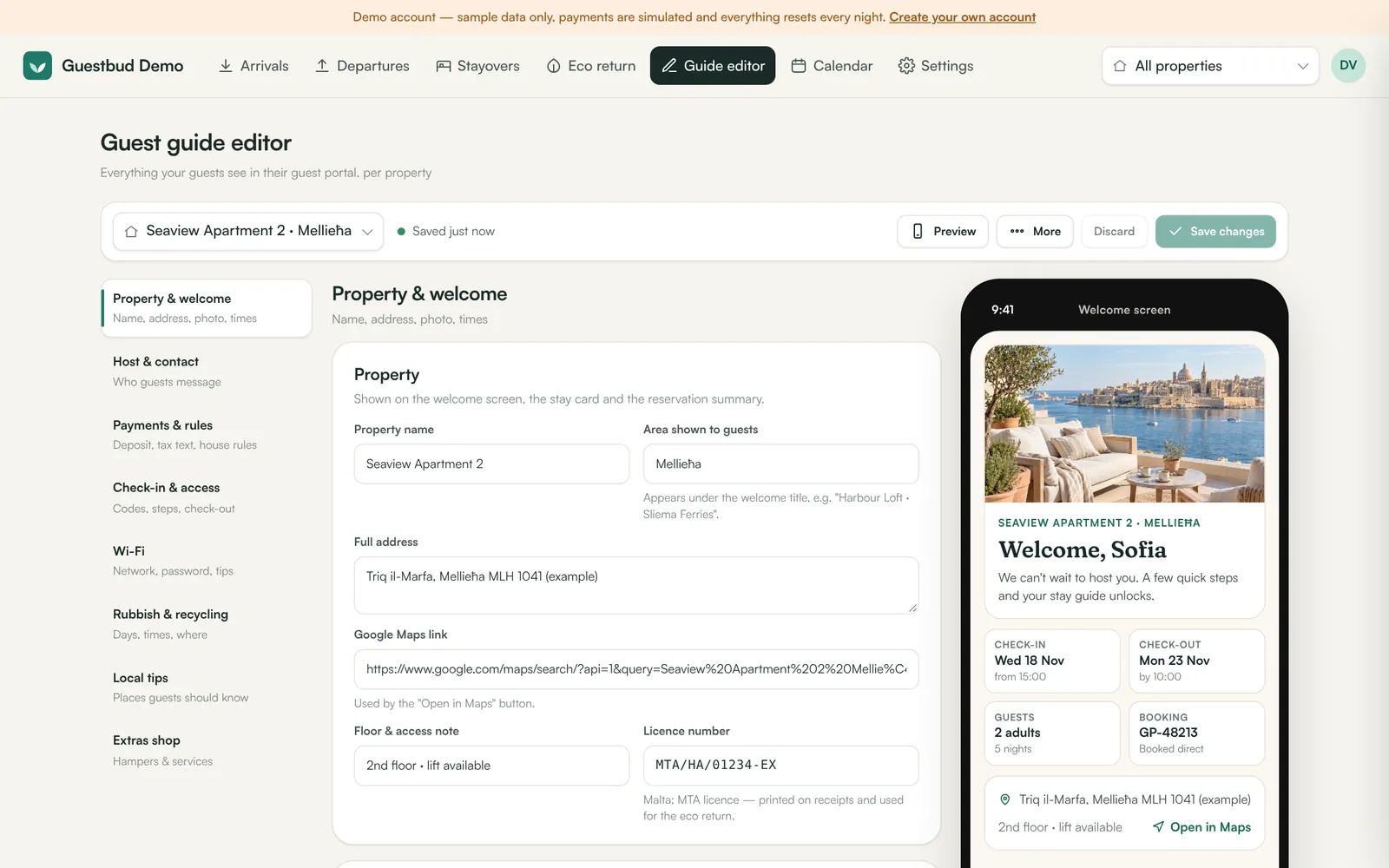
Open Guide editor, pick the property at the top and work through the sections on the left. The phone on the right is a live preview. Nothing is published until you click Save changes; leaving with unsaved changes asks for confirmation. Keyboard shortcut: Ctrl/⌘ + S.
Property & welcome #
Name, area, full address, Google Maps link, floor/lift note, a short welcome message and the cover photo. Use Upload photo (JPEG, PNG or WebP up to 6 MB) or paste an https:// link. Check-in and check-out times are used everywhere, including the door-code window.
Host & contact #
Who guests contact. Phone, WhatsApp and email are shown only after the stay is unlocked.
Payments & rules #
- Security deposit — amount (0 = no deposit), how it is taken (card pre-authorisation or charged, then refunded) and the refund promise. More in Deposits and waivers.
- Tourist tax text — the description and bullet points guests read. The amount itself comes from the tax definition.
- House rules — rules with an optional charge (for example No smoking indoors — €150) and your full rental terms. Guests accept them in the check-in form.
Check-in & access #
Fixed door codes (for example the building entrance), numbered arrival steps, arrival-time options, arrival guidance and the check-out checklist. With a Nuki lock the personal code is added automatically.
Wi-Fi #
Network and password (guests can copy them and scan a QR code), speed and router location, troubleshooting tips. Can be hidden.
Rubbish & recycling #
Rules differ by country and town, so start from a preset (Malta national schedule, Germany typical, or empty) and adjust: bag/bin types with colours and yes/no examples, which types go out on which weekday, monthly collections (for example glass on the 1st and 3rd Friday), times, where to leave bags. Switch the section off if it doesn't apply.
Local tips #
Places grouped by category (eat & drink, shops, getting around, things to do, help & health) with a one-line tip, distance and map search.
Extras shop #
Hampers and services guests can order and pay online — name, description, price, unit, badge, photo and maximum quantity. Hidden extras stay saved.
Copy, back up, restore #
More → Copy content from another property copies the guide but keeps name, address, photo, licence, Wi-Fi password and codes. Download JSON backup and Import JSON backup move a guide between accounts.
Frequently asked questions #
Why can't I edit the tourist tax amount in the guide? #
Tax rates are legal schedules. They live in the tax definitions so that every booking uses the rate valid on its check-in date. You only edit the text guests read.
Can different properties have different rubbish rules? #
Yes. Every property has its own schedule, so a flat in Sliema and a house in Gozo can follow their own local council rules.